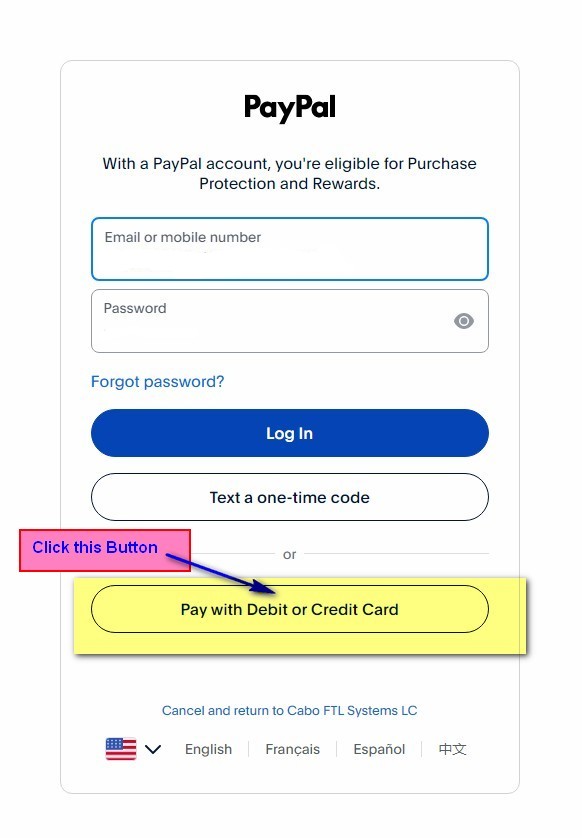
You'll See A PayPal Login Screen First
This is normal. It looks like it wants a PayPal account, but you do not need one. Ignore the email and password boxes and click the button shown below.
PayPal handles our checkout, but you do not need a PayPal account to subscribe. Follow these 4 steps to pay with just a debit or credit card.
Back to PricingThis is normal. It looks like it wants a PayPal account, but you do not need one. Ignore the email and password boxes and click the button shown below.
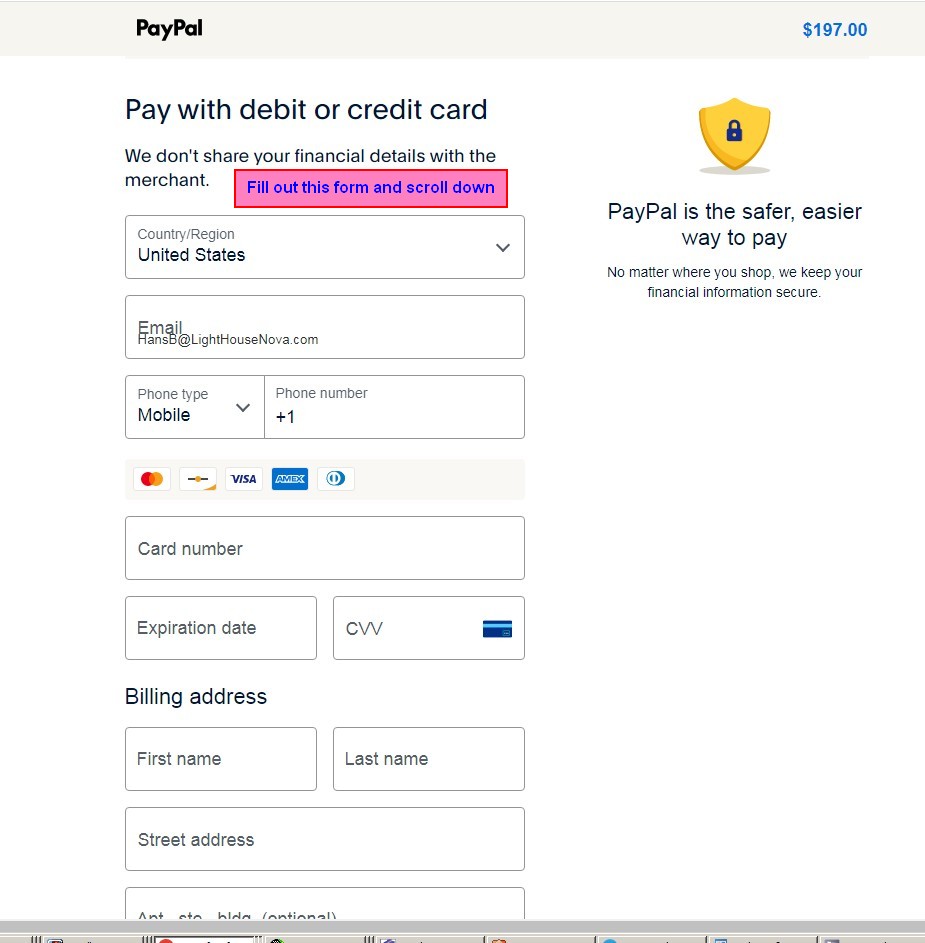
Fill in your email, card number, expiration, CVV, and billing address, then scroll down.
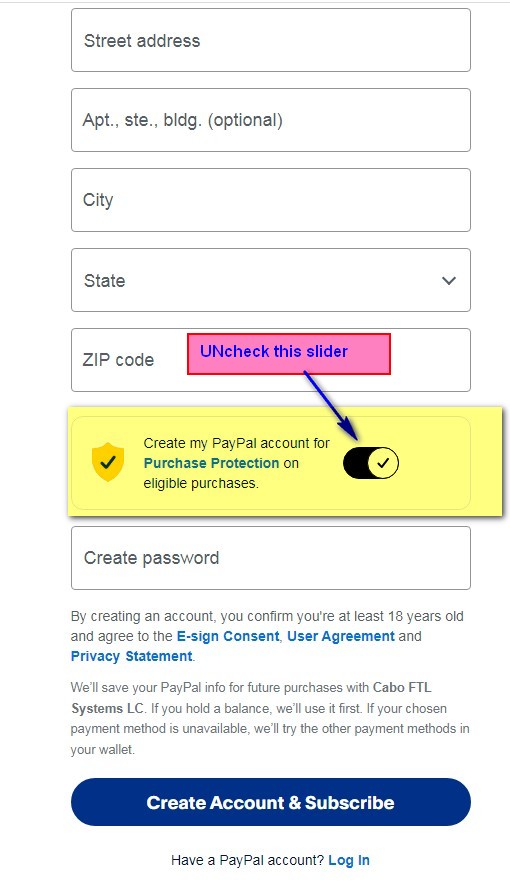
Near the bottom of the form is a toggle switched ON by default that says "Create my PayPal account." Uncheck it as shown below if you just want to pay with your card, no account.
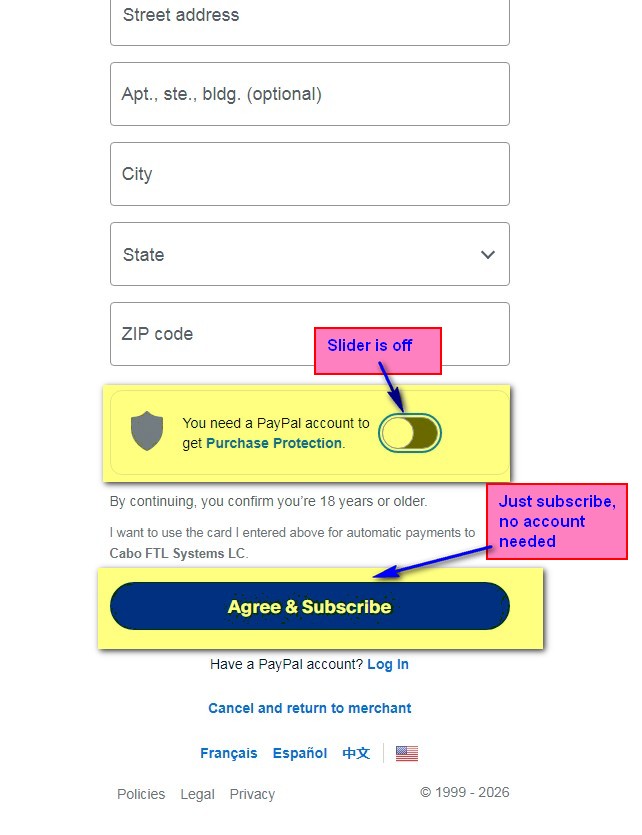
Double check the slider is switched off like shown below. Once it is, just click "Agree & Subscribe." No PayPal account gets created, your card is charged directly.